




April Fools Day fades away, but the threat of scams lingers year-round.
Sadly, fraudsters don't take holidays.
Spring often marks a surge in cyberattacks—not due to negligence—but because busy professionals can be distracted by fast-paced routines. This creates the perfect window for sneaky scams that blend seamlessly into daily workflows, only revealing their danger too late.
Here are three active scams targeting even the most vigilant employees who are simply striving to keep up with work.
As you explore these threats, ask yourself: Does my entire team take the necessary moment to spot these traps?
Scam #1: Fraudulent Toll or Parking Charge Text Messages
An employee receives a text notification:
"You owe $6.99 for an unpaid toll. Pay within 12 hours to avoid additional fees."
The message references popular toll systems like E-ZPass, SunPass, or FasTrak that align with the recipient's state. The low amount seems routine, so between meetings, the link is clicked, payment made, and the employee moves on.
But that link is a trap.
In 2024, the FBI recorded over 60,000 complaints of fake toll text scams, with a 900% increase already in 2025. With more than 60,000 counterfeit web domains impersonating state toll authorities, these scams have become highly lucrative. Shockingly, some targets live in states without toll roads.
The scheme succeeds because a small fee feels harmless, and most people have recently passed through tolls or parked downtown, making the message believable.
How to protect yourself: No legitimate toll agency demands instant payment through text links. Established companies enforce policies where payments are never processed via text. When in doubt, employees should visit official websites or apps directly. Avoid replying to suspicious texts—even replies like "STOP" can confirm your number is active and invite more scams.
Quick convenience is bait. Vigilant process is protection.
Scam #2: Fake File Sharing Emails
This scam mimics normal work communications flawlessly.
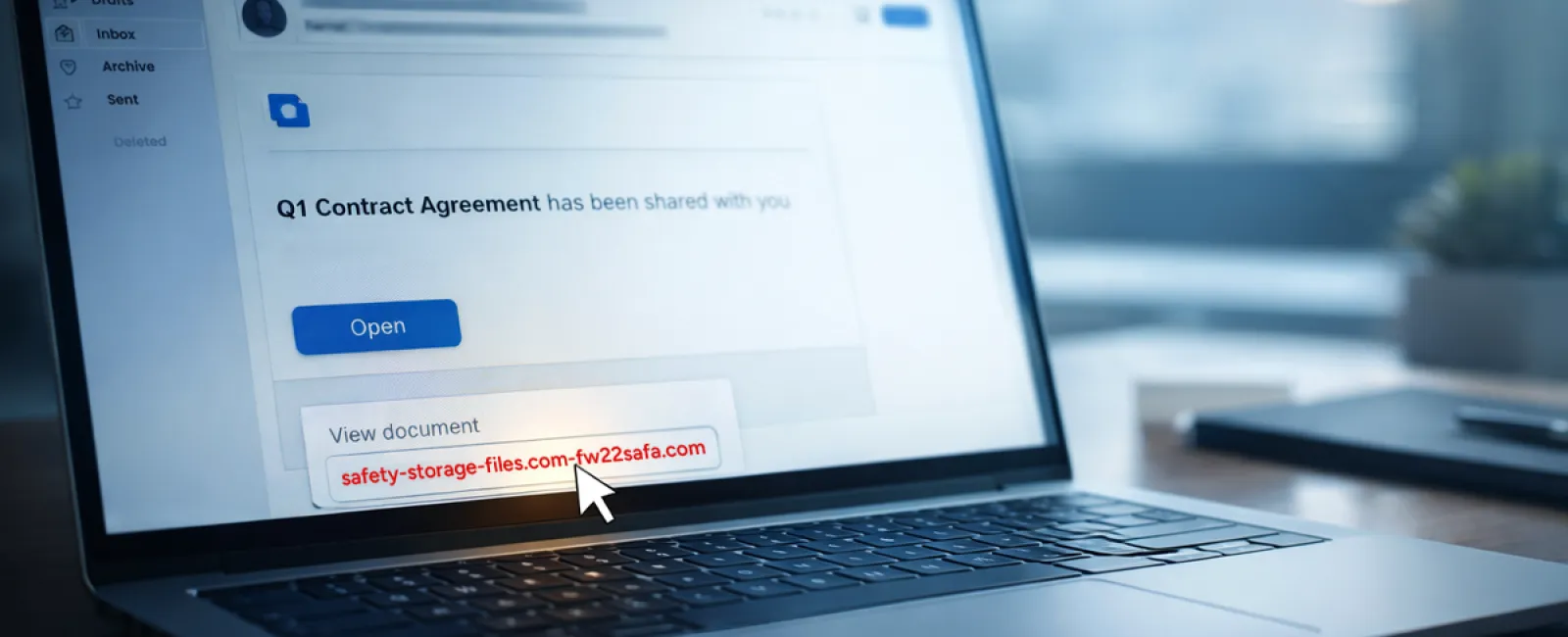
An employee gets an email claiming a document has been shared—often a contract via DocuSign, a spreadsheet from OneDrive, or a Google Drive file.
The sender looks legitimate, and the email formatting matches typical file-share notifications.
Clicking the link prompts a login screen where the employee unknowingly submits their work credentials.
Once stolen, attackers gain entry to the company's cloud systems.
Phishing exploiting trusted platforms surged 67% in 2025, with Google Slides phishing alone rising over 200% in six months, according to KnowBe4's Threat Labs.
Employees are seven times more likely to fall for malicious links from OneDrive or SharePoint notifications because they look authentic.
Even more alarming, attackers now use compromised accounts to send real platform sharing notifications, bypassing spam filters.
Preventive measures: Train employees to avoid clicking unexpected links. Instead, log into the platform separately to confirm file sharing. Limit external sharing permissions and activate alerts for suspicious logins—security settings your IT team can implement quickly.
Simple caution yields powerful defense.
Scam #3: Expertly Crafted Phishing Emails
Gone are the days when phishing emails were obvious with poor grammar and odd layouts.
A 2025 study revealed that AI-generated phishing emails achieved a 54% click rate—more than four times higher than human-crafted phishing emails at 12%.
These messages use legitimate company details, accurate job titles, and realistic workflows sourced from public profiles within seconds.
Targeting has evolved too: HR receives forged employee verification requests, finance teams get fake vendor payment change notifications. In recent tests, vendor impersonation emails engaged 72% of employees—90% higher than other phishing types. The emails appear calm, professional, and urgent, indistinguishable from everyday correspondence.
How to stay safe: Verify any requests concerning credentials, payments, or sensitive data via a secondary channel—a phone call, chat, or face-to-face. Always hover over sender addresses to verify the domain. Treat any email urgency as a red flag.
True security demands caution—not panic.
The Bottom Line
These scams thrive on trust, timing, and the belief that "this will just take a second."
The real threat isn't careless staff but systems that assume flawless judgment under pressure.
If a single rushed click can compromise your operations, it's a sign of a flawed process—not people.
And process flaws are completely fixable.
How We Support You
Most business owners don't want to add another complex project or shoulder the burden of cyber training.
They simply want confidence that their business is secure and vulnerabilities aren't quietly lurking.
If you're worried about potential risks your team faces—or know someone who should be—let's have a straightforward conversation.
Book a risk assessment call with us to discuss:
- The latest risks businesses like yours are encountering
- Common ways threats infiltrate everyday work
- Effective strategies to reduce exposure without hampering productivity
No pressure. No fear tactics. Just practical solutions for your peace of mind.
Click here or give us a call at 888-624-7383 to schedule your free 15-Minute Discovery Call.
Not for you? Forward this to a colleague who'd benefit. Sometimes, awareness is all it takes to stop a "would have clicked" from becoming a costly mistake.


